











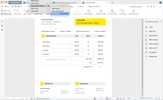
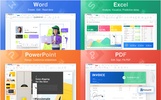

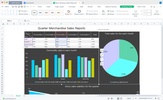
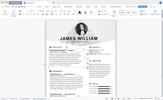
Integrated with four feature-rich applications, WPS Office is a sophisticated office suite for document editing, spreadsheet management and data calculation, slide production, PDF document conversion, and reading. It also provides users with nearly 10 million document templates. WPS Office has many loyal users around the world thanks to its ability to be downloaded and used for free. Users in different countries and regions can choose from nearly a dozen language versions required when installing WPS Office.
WPS Office is an all-in-one free Mac, iPhone, and iPad office suite. WPS Office integrates all office document processor functions: document, spreadsheet, presentation, and PDF in one application and is fully compatible with Microsoft Word, Excel, PowerPoint, Google Docs, and Adobe PDF format.
All-in-one Complete Free Office Suite
• Integrate with documents, sheets, presentations, and PDFs
• Make gorgeous documents with dozens of easy-to-use templates
• Fully compatible with Microsoft Office (Word, Excel, PowerPoint, TXT, Epub), Google Docs, Adobe PDF and OpenOffice
PDF Reader & Editor
• Edit PDF text and images easily
• Magically convert PDF to editable Word/Excel/PowerPoint files
• Sign and fill PDF documents; e-signature is legal & secure
Intelligent Cloud Service
• Automatically save office documents to the clouds: iCloud, Dropbox, Google Drive, Box, Evernote, and OneDrive. Keep your documents always up-to-date via cloud service.
• Never worry about losing your work; everything is automatically saved as you type
• Sync across your devices. Documents can be well-updated and easily accessed from your Mac, iPad, iPhone—even on a PC
Collaborate with Team in Real-time
• Share documents online and invite others to edit, comment, and add action items at the same time
• Help teams to connect, create, and collaborate, maximize your work productivity
Optimized for Apple System
- Compatible with the M1 chip
- Compatible with macOS Catalina, macOS Big Sur
- Continuity Camera: Use your iPhone, iPad or iPod touch to scan a text or take a photo of a nearby object, and the scanned text or photo will instantly appear on your Mac
- Sidecar: Use the iPad as a second screen for Mac
- Shortcuts: Support for custom shortcut paths, such as quick file opening
- Widgets: Quickly open recent documents/create new documents
- Dark Mode: Focus on the work at hand
- Handoff: seamlessly switch between Apple devices for document viewing and editing
- Split View: Quickly organize your workspace without manually moving and resizing windows
More Features:
• Create stunning documents with a collection of professional document templates for free
• Support documents encryption, keep your office documents & data safe
• Easy to share office documents via WIFI, NFC, DNA, Email, Instant Messaging, WhatsApp, Telegram, Facebook, and Twitter
• Black Mode & Reading Mode for your choice
• Supports 51 languages and all office file formats


 4 reviews

















Comments
This apk is the best apk
The best office app ever, being using it for 4 years now
The best app for OS X